

How to Complete a PAT Test Record
A PAT Test Record is used when carrying out portable appliance testing - recording both a visual inspection and electrical test results for each appliance. This guide walks through every section of the form so you can complete it accurately and issue it to your client.
Before you begin
The record is split into four sections: site details, tester declaration, test equipment, and the appliances table. You can save your progress at any time and come back later.
The site address will be pre-filled automatically when you link a client to the record. You can edit it afterwards if needed.
Getting started
Navigate to Draft PAT Tests in the sidebar and click New record. You’ll be taken to a create form where you set the basic details before filling in the record itself.
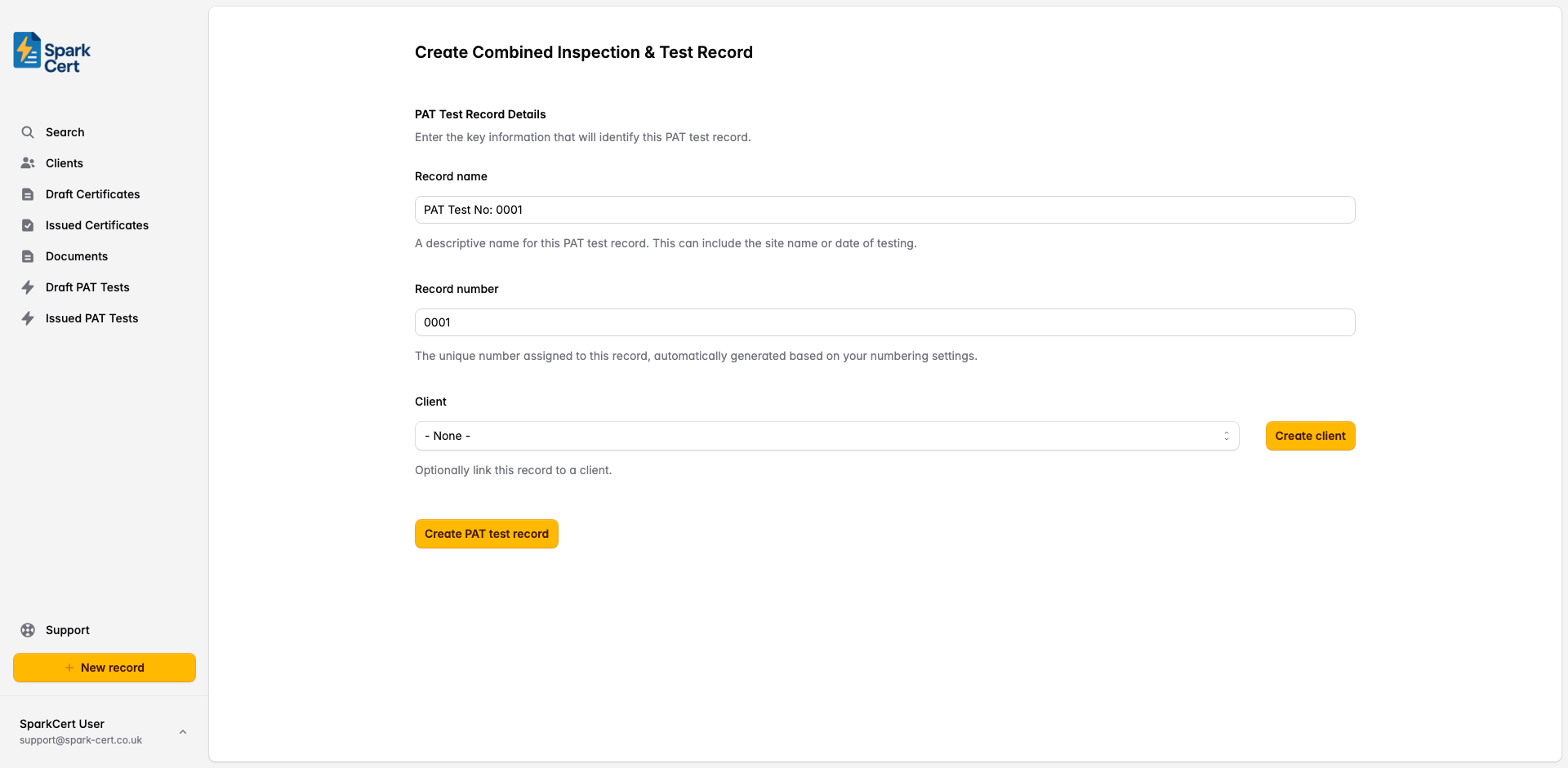
A descriptive name to help you identify the record later - e.g. the site name or date of testing. A default is generated automatically but you can change it.
A unique number for the record, automatically generated based on your numbering settings and incremented with each new record.
Optionally link the record to a saved client. Selecting a client pre-fills their address as the site address. You can also create a new client inline without leaving the page.
Site Details
The location where the PAT testing was carried out. This appears in the header of the issued PDF.
The full address of the site across up to three lines, plus postcode. Pre-filled automatically when a client is linked.
The name of the person at the site who was the point of contact for the testing - e.g. the office manager or facilities contact.
Tester Declaration
Details of the person who carried out the testing. This section appears at the top of the issued PDF alongside the site details.
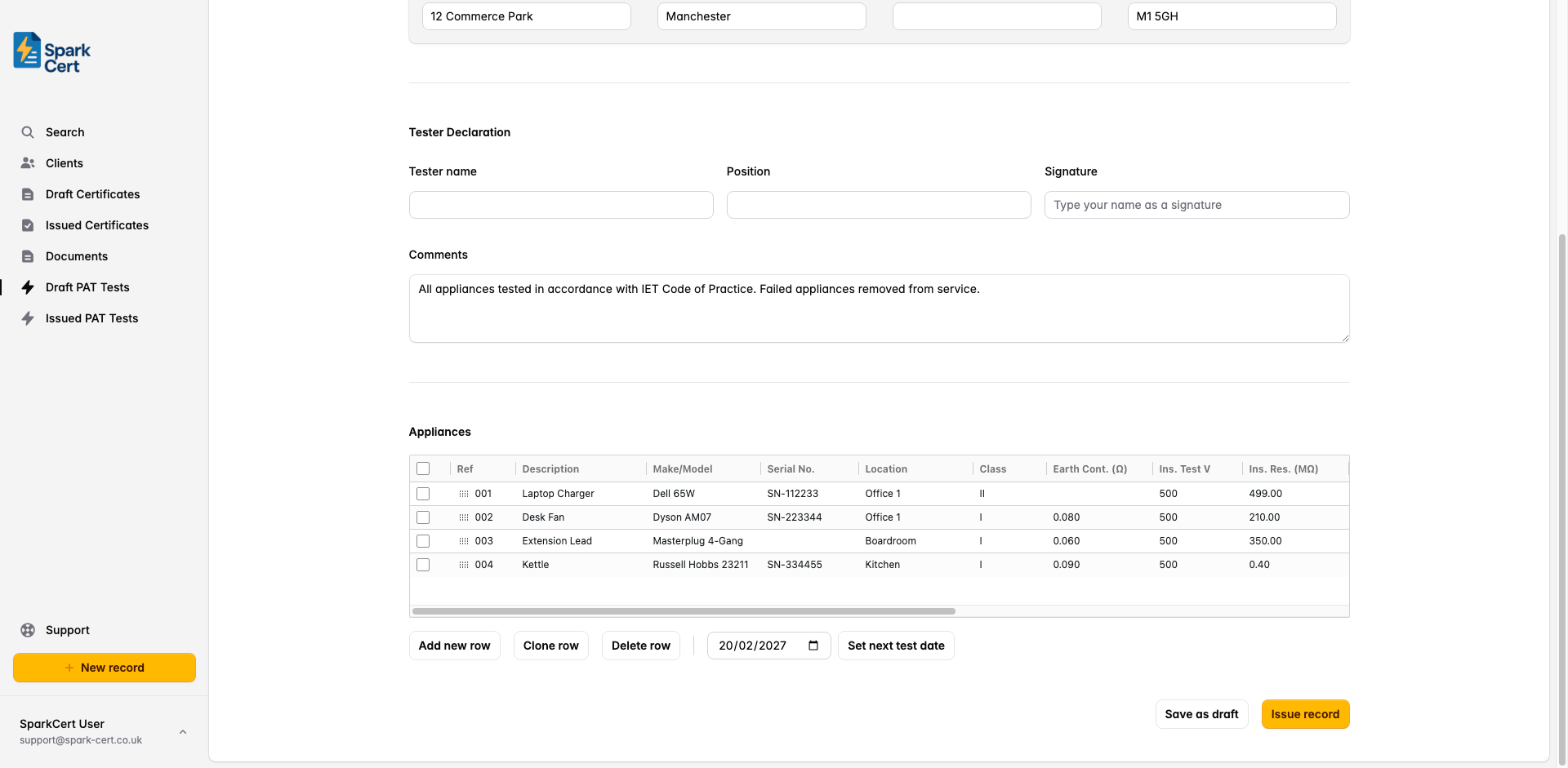
The full name of the person who carried out the inspection and testing. Pre-filled from your profile settings.
The tester’s job title or role - e.g. “PAT Tester”, “Electrician”. Pre-filled from your profile settings.
The date the testing was carried out on site.
Type your name as a digital signature. This is rendered in a signature font on the issued PDF. Pre-filled from your profile settings.
The overall next test due date for the site - typically the earliest next test date across all appliances. This appears in the header of the PDF.
Test Equipment
Details of the PAT tester used to carry out the electrical tests. This appears at the bottom of the issued PDF.
The manufacturer of the PAT testing instrument - e.g. “Seaward”, “Megger”, “Metrel”.
The model name or number of the PAT tester - e.g. “Primetest 250+”, “PAT450”.
The serial number of the PAT tester. Recording this provides a traceable record of which instrument was used for calibration purposes.
Appliances
The appliances table is the core of the record. Each row represents one appliance tested. Click any cell to edit it, and use Tab to move to the next cell. New rows are added automatically as you fill in the last row.
New rows automatically default the Next Test date to one year from today. To set the same date across multiple rows at once, select those rows using the checkboxes on the left, pick a date in the Set next test date input below the table, then click the button. Rows can also be reordered by dragging the handle in the Ref column.
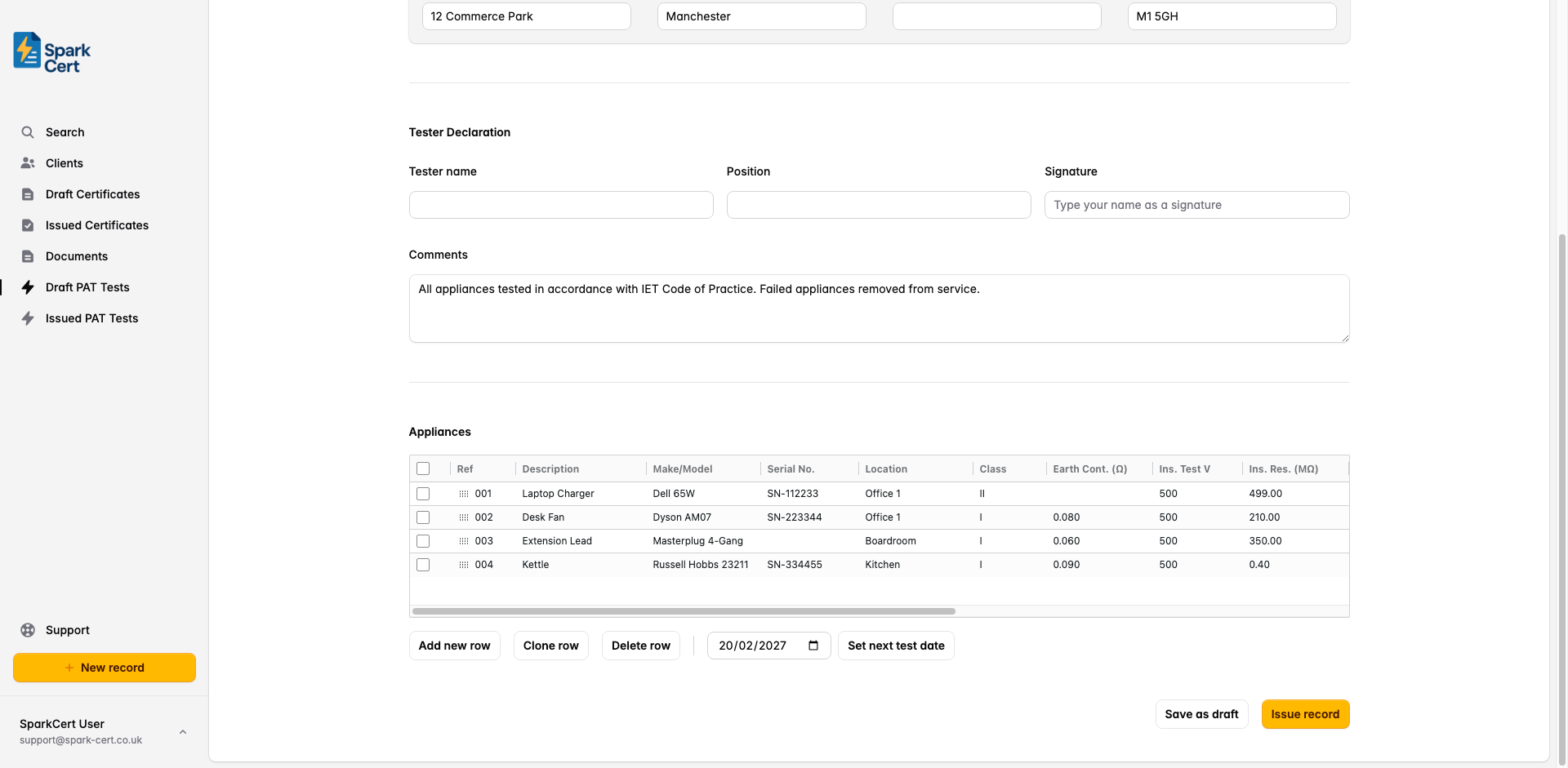
Appliance identification
A unique reference for the appliance - typically a PAT label number or asset number - e.g. “001”, “IT-042”.
What the appliance is - e.g. “Laptop charger”, “Desk fan”, “Extension lead”.
The manufacturer and model name or number of the appliance.
Where the appliance is situated within the site - e.g. “Office 3”, “Kitchen”, “Reception”.
The appliance class as defined by its construction. Class I relies on an earth connection for protection. Class II has double or reinforced insulation and does not require an earth. Class II FE is functionally earthed but not for protection. Select N/A for items not covered by these classes.
Tick if this appliance is an extension lead or multiway adaptor rather than a standalone appliance.
Inspection & test results
The result of the visual inspection. Select Pass if no defects were found, or Fail if any damage, wear, or unsafe condition was observed.
The earth continuity resistance measured between the earth pin of the plug and the exposed metalwork of the appliance, in ohms. Only applicable to Class I appliances. Typically should not exceed 0.1Ω plus the resistance of the supply lead.
The insulation resistance between live conductors and earth, in megaohms. For most appliances the minimum acceptable value is 1MΩ.
Whether the polarity of the supply lead is correct. Select Correct, Incorrect, or N/A for appliances with non-polarised plugs.
The earth leakage current measured in milliamps. Leave blank if a leakage test was not performed.
The rating of the fuse fitted in the plug - e.g. “3A”, “5A”, “13A”. Leave blank if not applicable.
Outcome
The overall outcome for the appliance. Pass means the appliance is safe to continue in service. Fail means it should be taken out of service for repair. Fail-Danger indicates an immediate danger and the appliance must be removed from service immediately.
The date by which this appliance should next be tested. The appropriate interval depends on the type of appliance and its environment - refer to the IET Code of Practice for guidance.
Any additional observations about this specific appliance - e.g. damage noted, repairs recommended, or reasons for a fail result.
Issuing the record
Once you’ve completed all sections, review the record for accuracy and click Issue record. Issuing locks the record to prevent accidental edits, and you can then download the PDF or email it directly to your client from SparkCert.
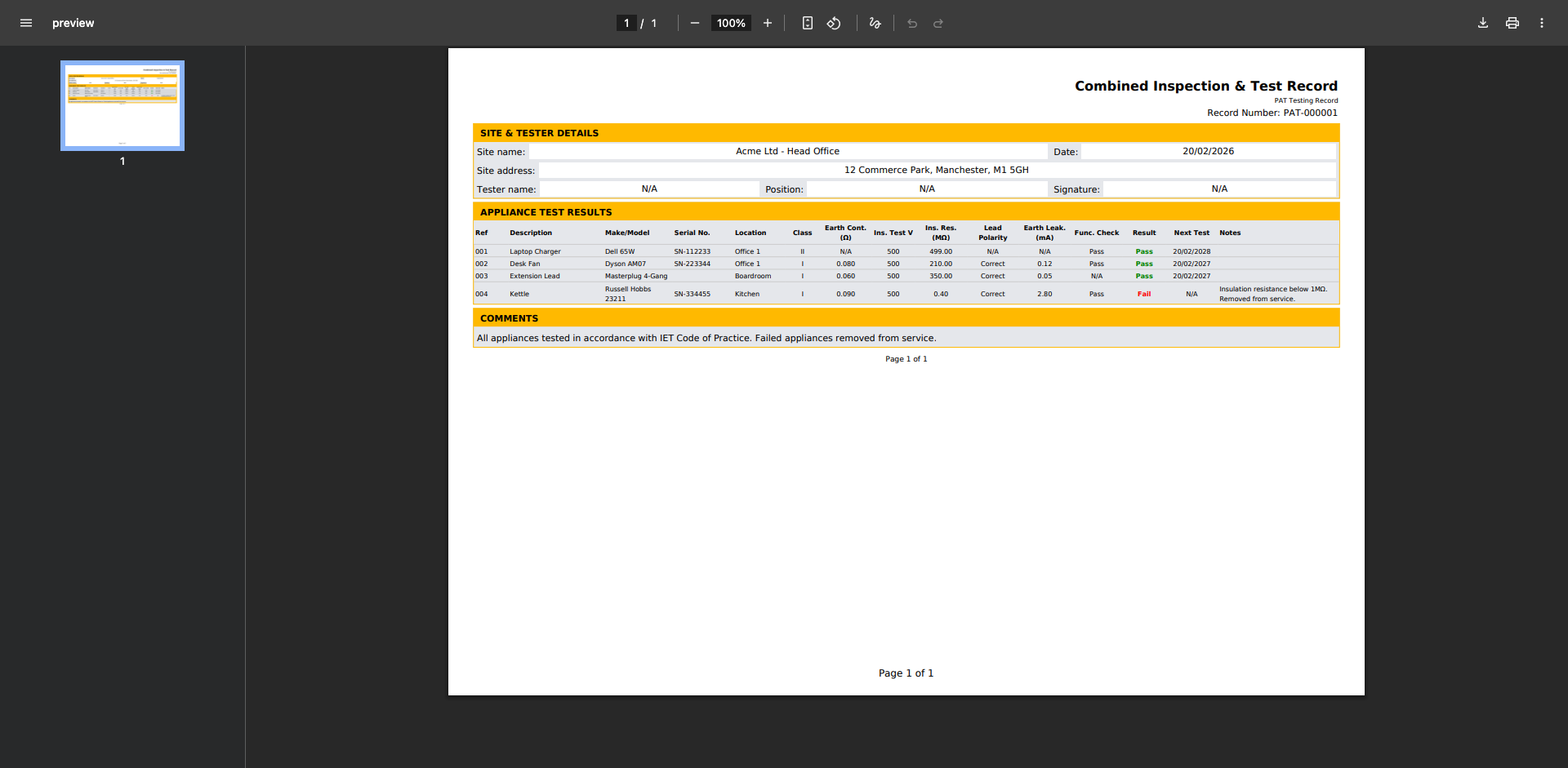
If you need to make corrections after issuing, you can unlock the record, make your changes, and re-issue it.