

How to Complete a Method Statement
A Method Statement describes how a piece of work will be carried out safely. It sets out the sequence of activities, the safety precautions that will be taken at each stage, and who is responsible. This guide walks through every section of the form so you can complete it accurately and share it with your client or principal contractor.
Before you begin
A Method Statement is often requested by principal contractors on larger or more complex jobs. It is typically produced alongside a Risk Assessment and both documents are kept on site during the works. For smaller domestic jobs a Method Statement is not always required, but it is good practice to have one for any work involving isolation of live services, working at height, or entry into confined spaces.
The form is split into five sections: Project Essentials, Emergency Information, Scope of Works, Safety Modules, and Sign-Off. You can save your progress at any time and come back later.
Getting started
Navigate to Documents → Create and select Method Statement as the document type, then click Create document. You will be taken straight into the form.
Project Essentials
This section captures the key details about the project and the people involved.
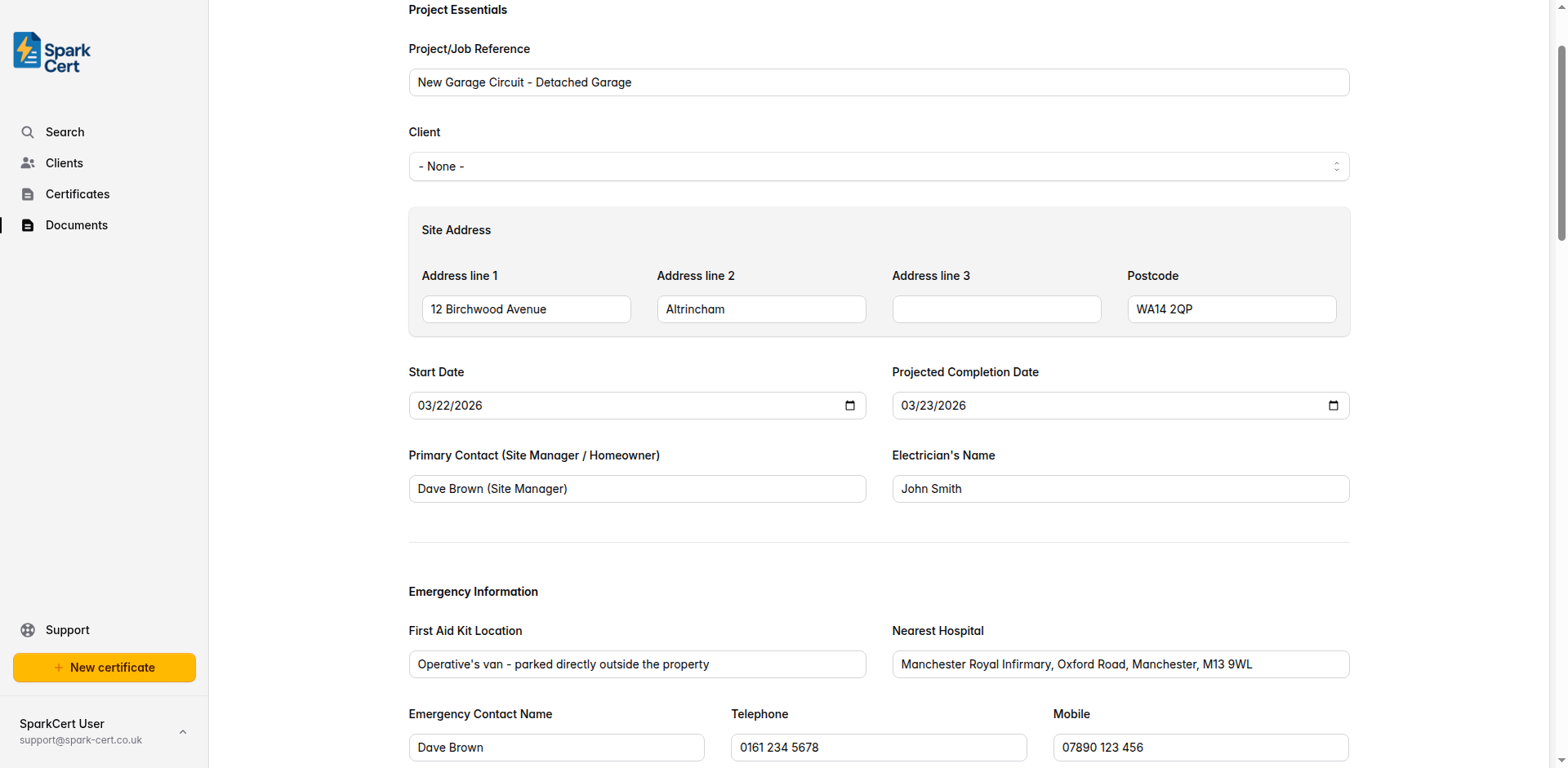
A short reference to identify the job - for example a job number, address, or description. This appears at the top of the printed document.
Optionally link the document to a saved client. Selecting a client will pre-fill their address into the Site Address fields. You can create a new client inline without leaving the page.
The address where the works will be carried out, including postcode. Filled automatically from the linked client address, or enter manually if no client is selected.
The date works are scheduled to start on site.
The anticipated date works will be finished on site. This gives the client and principal contractor visibility of the programme.
The name of the main point of contact on site - typically the site manager, homeowner, or client representative.
The name of the electrician responsible for carrying out the works. Pre-populated from your declaration settings if configured.
Emergency Information
Details that anyone on site needs to know in an emergency. Make sure these are accurate for the specific site.
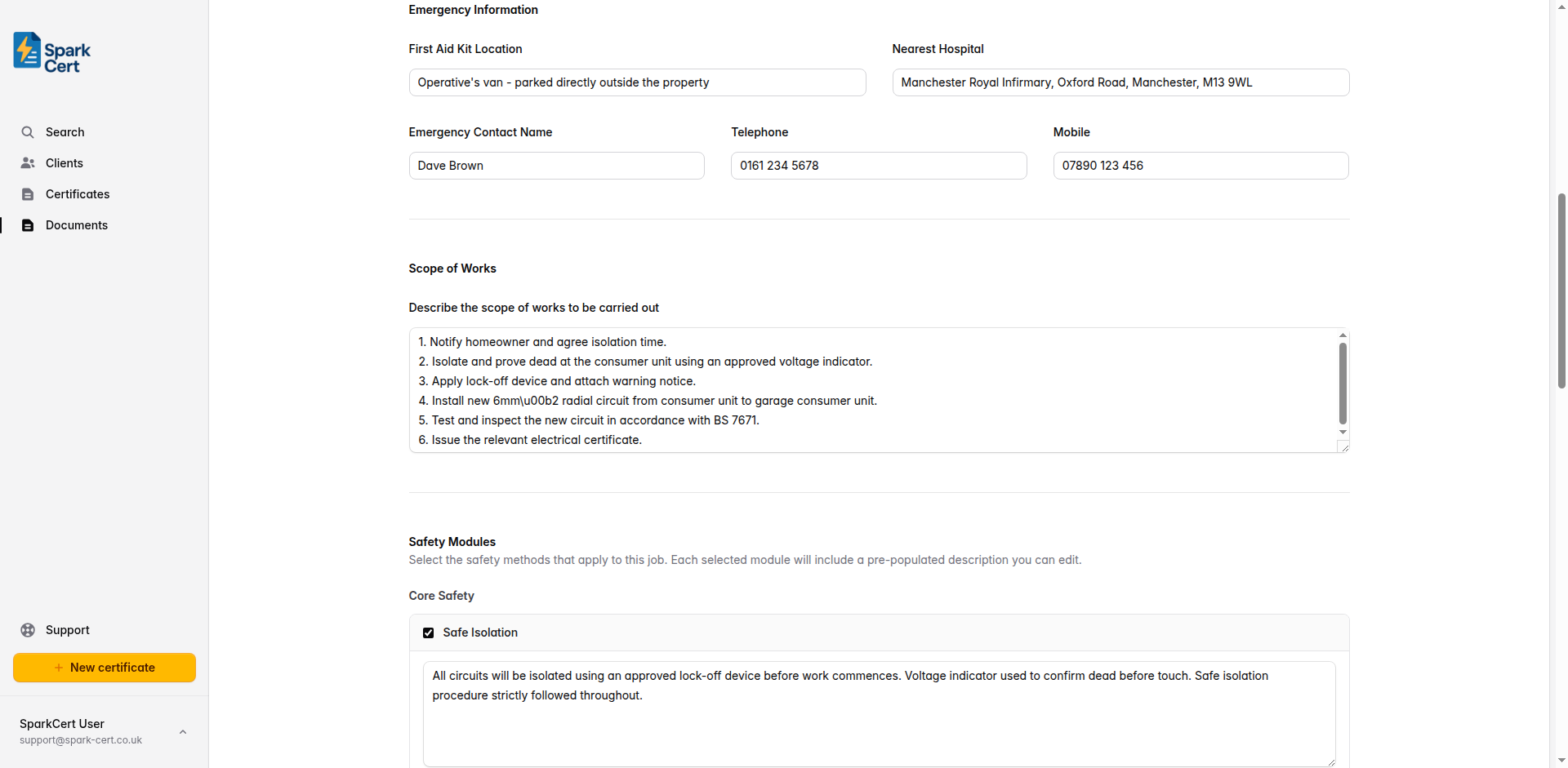
Where the first aid kit is kept on site - for example “In the operative’s van” or “Site office, ground floor.”
The name and address of the nearest hospital with an accident and emergency department. Look this up before arriving on site so it is accurate for the location.
The name of the person to contact in an emergency - usually the site manager, homeowner, or business owner.
A landline number for the emergency contact, if available.
A mobile number for the emergency contact.
Scope of Works
A clear description of the work to be carried out.
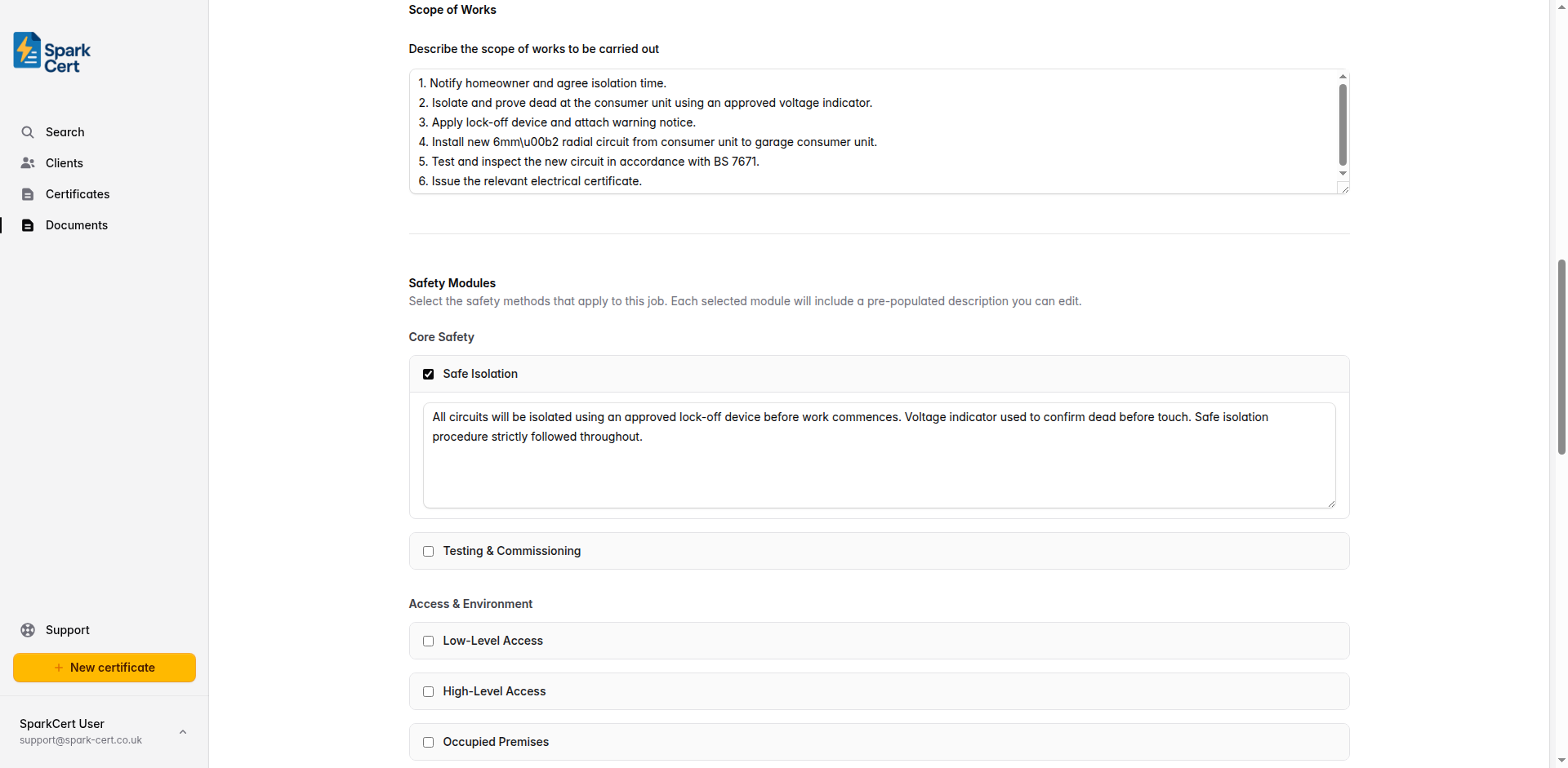
Set out in plain language what work will be done, in what order, and by whom. Include any key steps such as isolation of supplies, removal and reinstatement of finishes, and testing. Be specific enough that someone unfamiliar with the job could follow the sequence. For example: “1. Notify homeowner of isolation. 2. Isolate and prove dead at the consumer unit. 3. Install new radial circuit from consumer unit to garage. 4. Test and certify the new circuit.”
Safety Modules
Safety modules let you quickly build up the safety content of your method statement by selecting from a library of pre-written sections. Each module covers a specific type of work or hazard and comes with a default description that you can edit to suit the job.
Tick the modules that apply to this job. When you tick a module, a text area appears with a pre-written description that you can edit. Only tick modules that are genuinely relevant - an over-long method statement with irrelevant sections is harder to follow than a concise one.
The modules are grouped by category. Typical modules for electrical works include sections covering:
- Safe isolation procedure
- Working at height (stepladders, podium steps, scaffolding)
- Manual handling
- Use of power tools
- Working in occupied premises
- Control of waste and materials
- PPE requirements
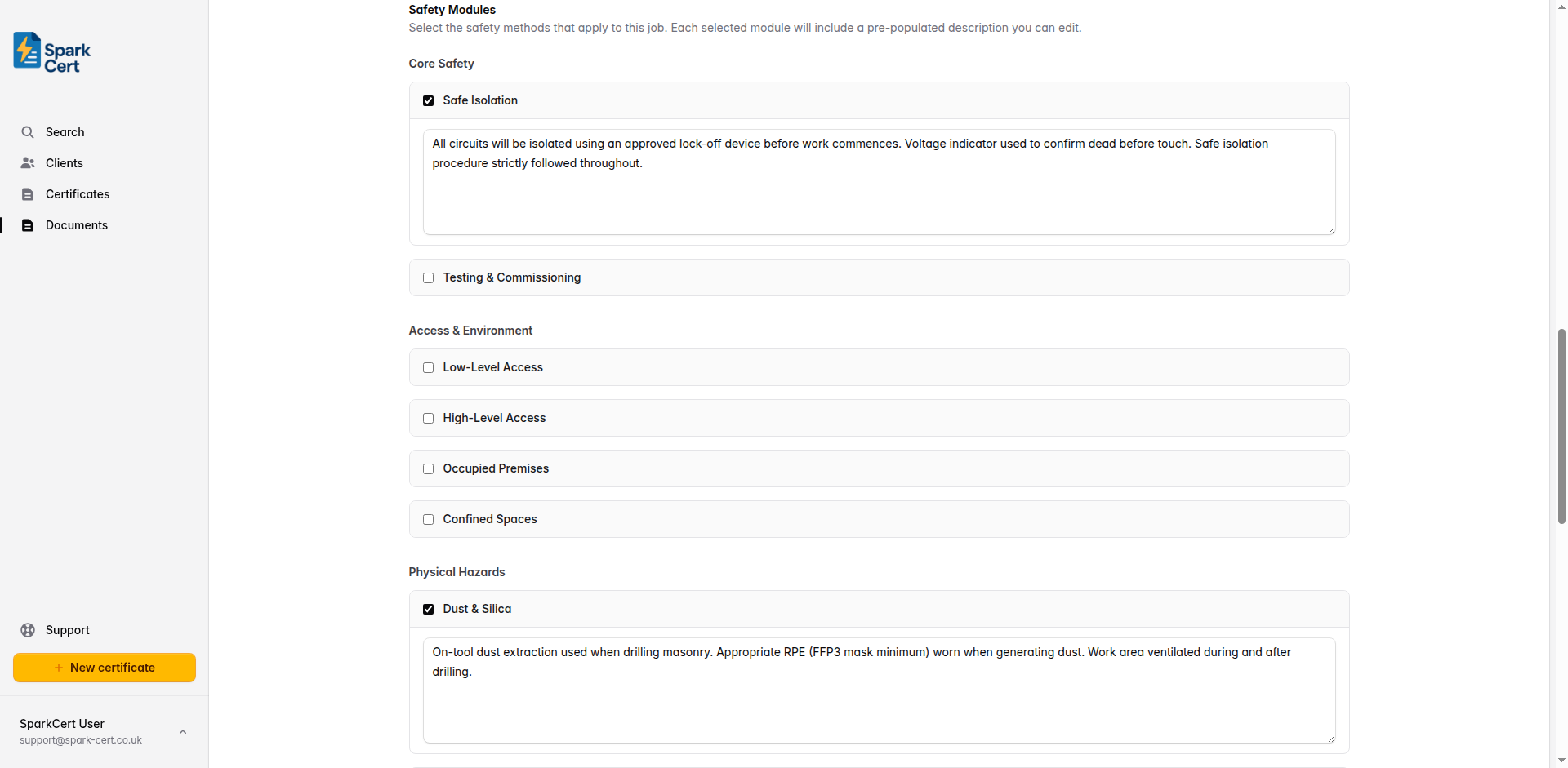
Edit the default description in each module to reflect what will actually happen on this particular job. Reviewers and principal contractors appreciate specificity - generic boilerplate is easy to spot and reduces confidence in the document.
Sign-Off
The sign-off section records that the method statement has been reviewed and agreed by the relevant parties before work starts.
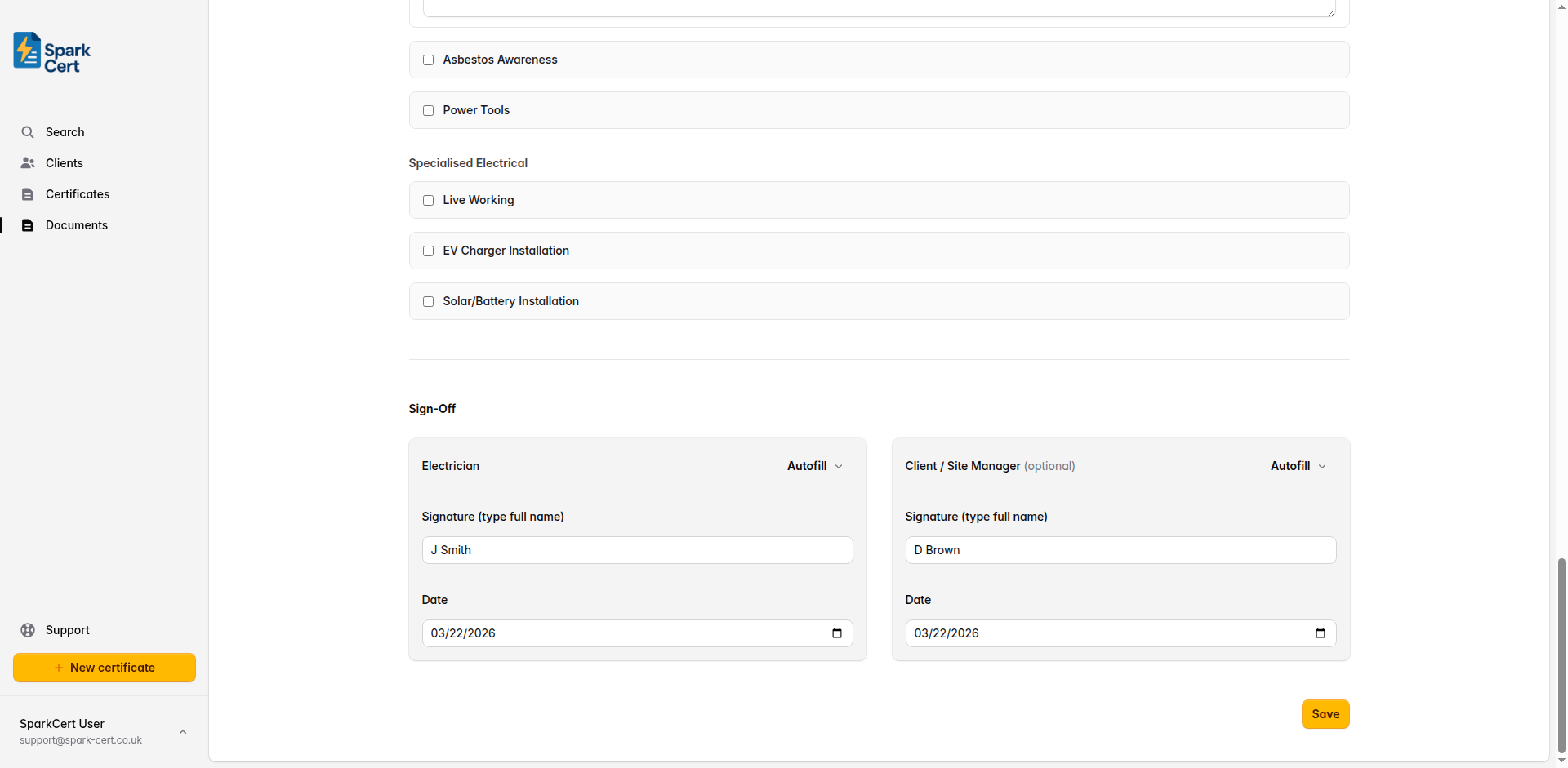
Type your full name to act as a digital signature. Pre-populated from your declaration settings or saved contractor profile. Use the Autofill button to load a saved contractor’s details.
The date you reviewed and agreed the method statement. Defaults to today’s date.
If the client or site manager has reviewed and agreed the method statement, record their signature here. This is optional but may be required by a principal contractor.
The date the client or site manager reviewed the document.
Once sign-off is complete, click Issue to lock the document and generate a PDF. Issued documents cannot be edited. If you need to make changes, you will need to create a new method statement.