

Test Instruments
Certificates require you to record which test instruments were used during the inspection and testing. The Test Instruments page lets you save your equipment once so you can select it from a dropdown on any certificate.
Why save your instruments?
Every EIC and EICR includes a section listing the instruments used for testing - the name or model and the types of test it was used for. Rather than typing this each time, save your instruments here and select them when completing a certificate. If you get a new piece of kit or send one for recalibration, you only need to update it in one place.
Adding an instrument
Navigate to Test Instruments in the sidebar and click Create instrument.
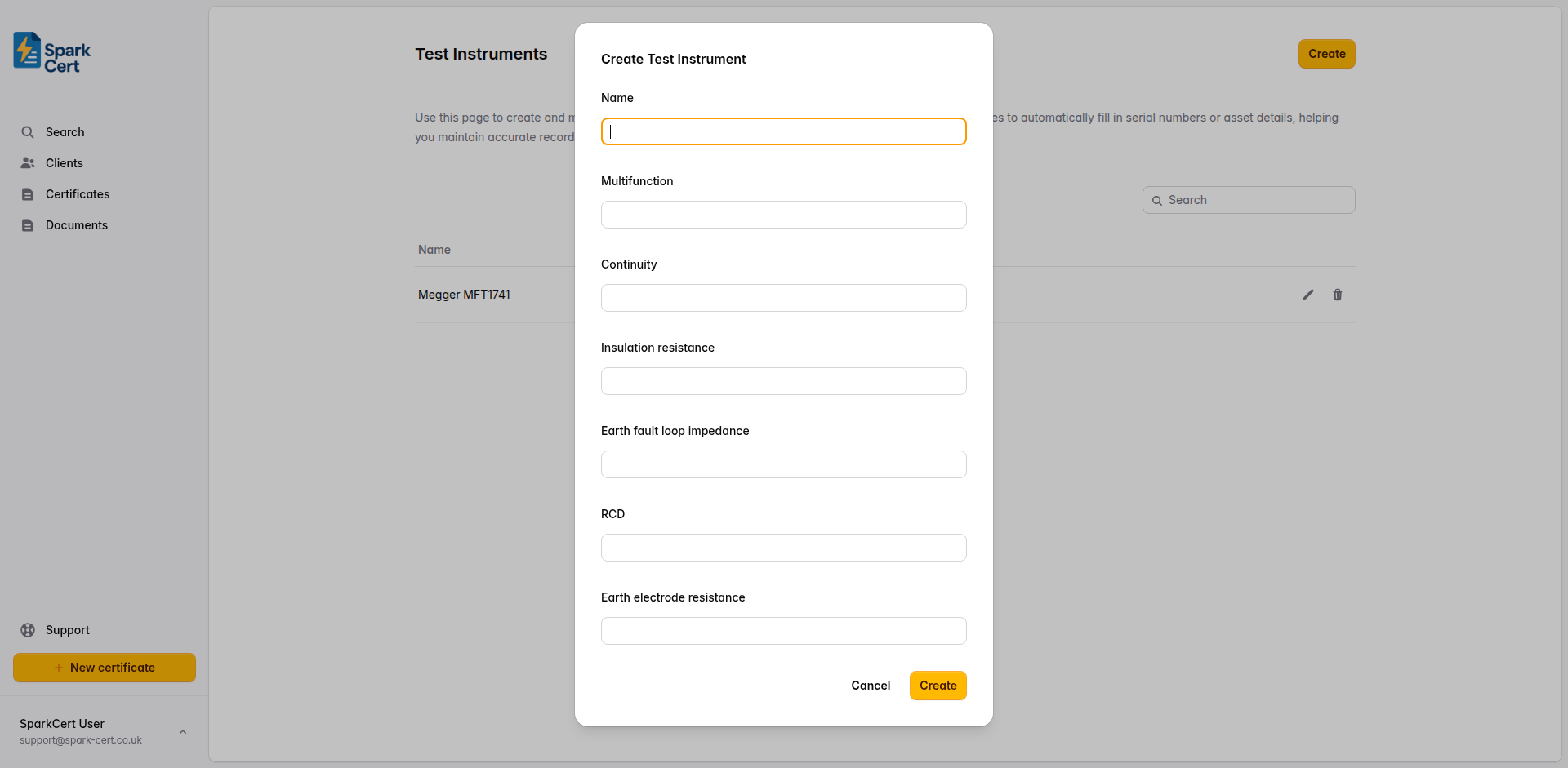
The make and model of the instrument - for example, “Megger MFT1741” or “Fluke 1664 FC”. This is the label shown in the dropdown on certificates.
Test capabilities
Tick the types of test the instrument can perform. These are used to match the instrument to the relevant test result sections on certificates.
The instrument is a multifunction tester that covers multiple test types in one unit.
Can test continuity of protective conductors, ring final circuit conductors, and bonding.
Can perform insulation resistance tests between conductors and between conductors and earth.
Can measure earth fault loop impedance (Zs) at each point in the installation.
Can test RCD trip times and operation.
Can measure earth electrode resistance, typically needed on TT earthing systems.
If you use a multifunction tester for most of your work, you will typically only need one instrument saved. Add separate entries if you carry dedicated testers for specific tests.